
Electronic Signature Agreement (ESA)
Breadcrumbs
Changed
As part of the user registration process, all users are required to submit an Electronic Signature Agreement (ESA) for the portal. After completing the User Profile page, the Additional Proof of Identity page will appear which presents the user with two options for submitting an ESA:
- Verify your Identity with LexisNexis so that you can electronically sign the ESA
- Print, sign, and submit a hard copy of the ESA
For more about the Identity Proofing step visit Identity Proofing (LexisNexis)
If you verified your identity with LexisNexis
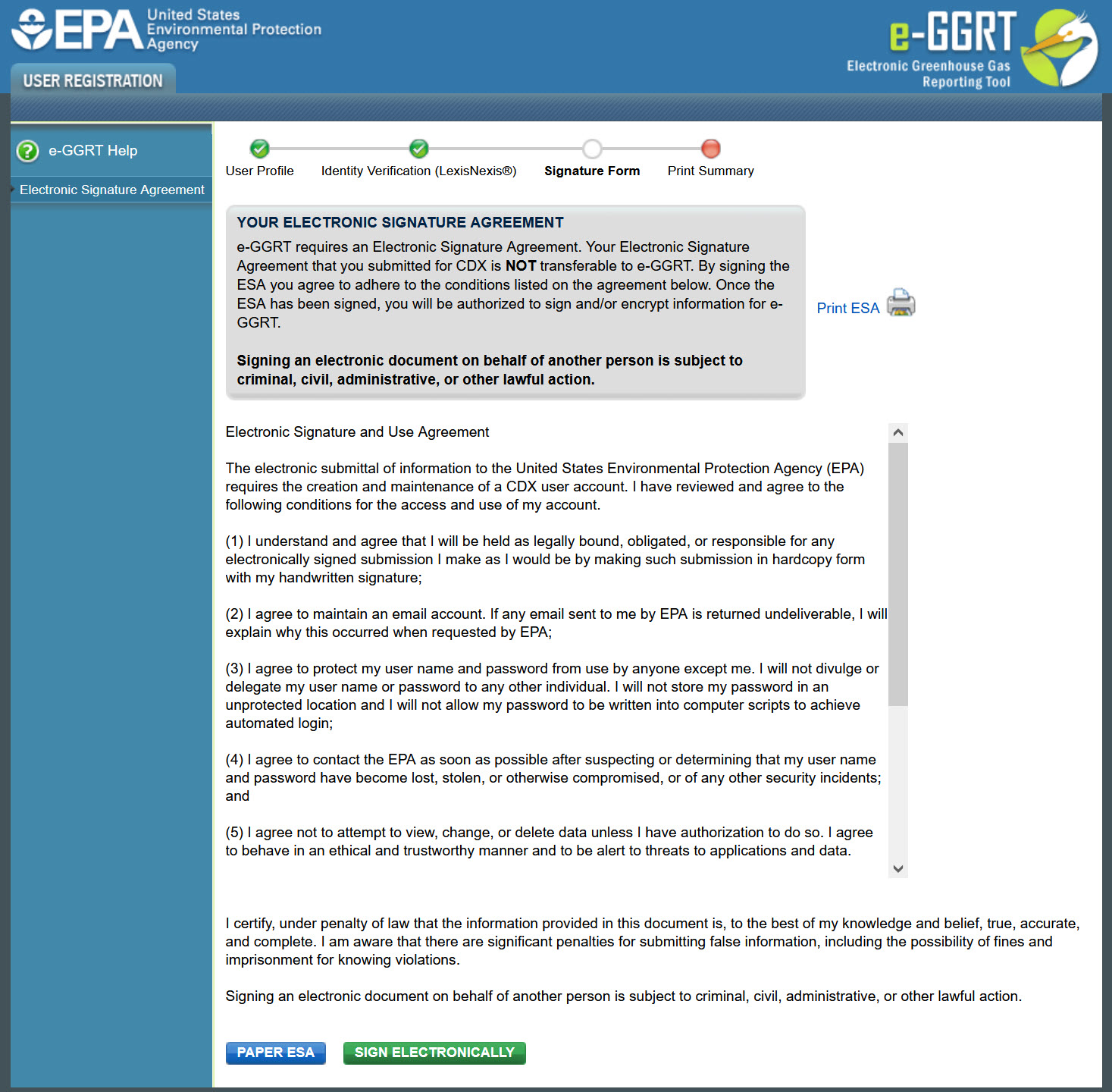
You will see the ESA page below. Simply review the conditions then click the SIGN ELECTRONICALLY button to begin using the portal.
After clicking the SIGN ELECTRONICALLY button, a summary page of your user registration will appear. You may print this summary page for your records.
Note: You DO NOT need to submit the Print Summary page to EPA.
If you chose the print, sign, and mail to EPA option
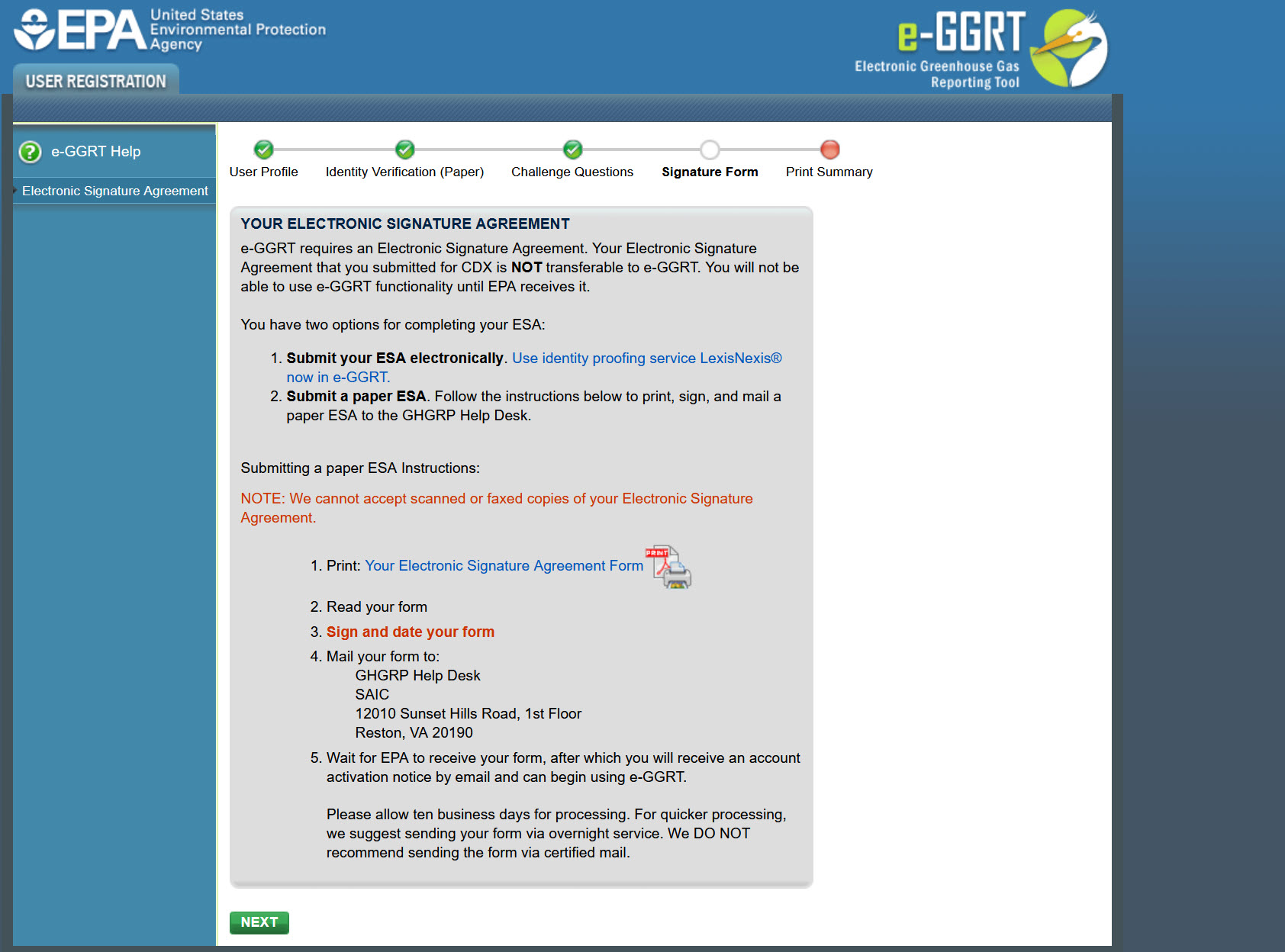
You will see a page like the one below. Follow the instructions.
For more about ESAs, visit Processing Your Electronic Signature Agreement
*We DO NOT recommend sending your Electronic Signature Agreement via certified US mail. The processing time for Electronic Signature Agreements sent via certified US mail is much slower than the processing time for Electronic Signature Agreements sent via regular US mail or overnight service.
Cross-Media Electronic Reporting Rule (CROMERR)
For more information on electronic reporting, see 40 CFR Part 3 -- Cross-Media Electronic Reporting.