
Facility Search
Breadcrumbs
Changed
Last updated: 8 months ago
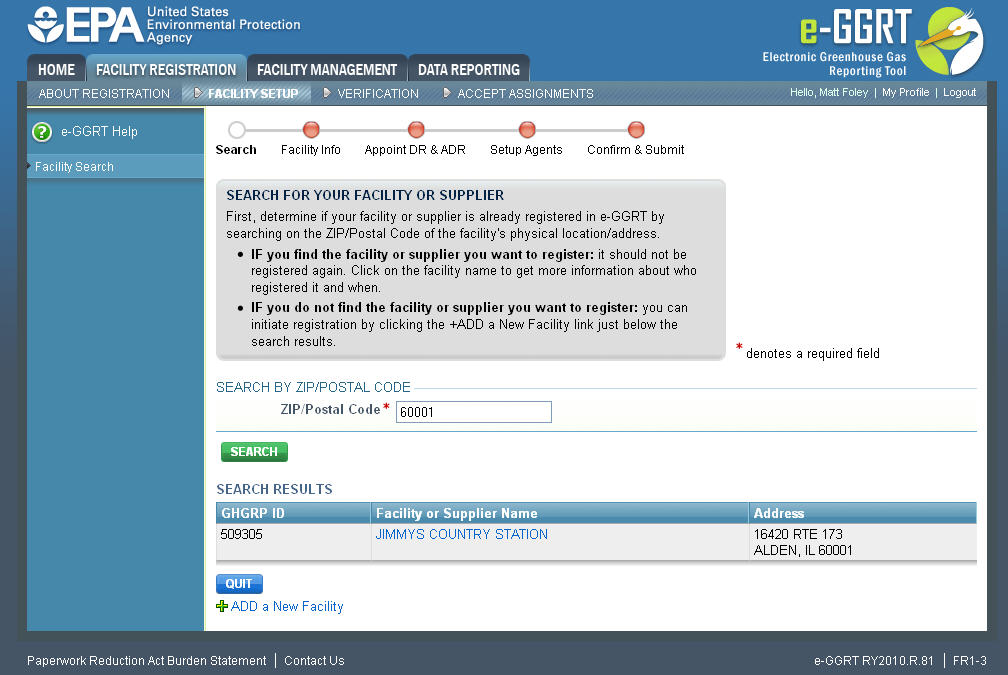
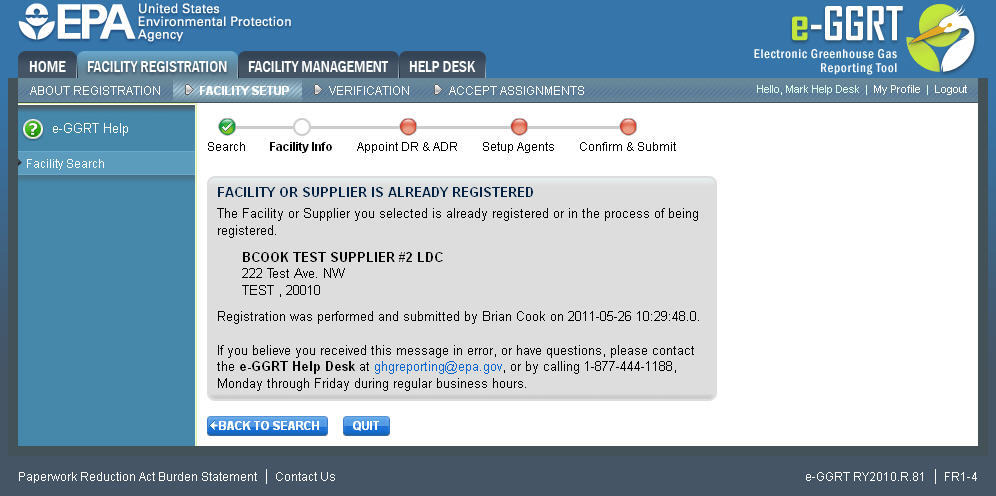
Before entering a new facility or supplier, search by ZIP Code (required field) to see if your facility or supplier is already registered in e-GGRT. After the search has returned a list of facilities, if you find the facility or supplier you want to register, it should not be registered again. Click on the facility name to get more information about who registered it and when. Please refer to Accessing an Already Registered Facility for more information and guidance.
After searching by ZIP code, if you do not find the facility or supplier you want to register, you can initiate registration by clicking the +ADD a New Facility link just below the search results.